Some notes on the SAT regulations and specifications relevant to FirmaSAT.
http://www.sat.gob.mx were suddenly unavailable.
They reappeared shortly afterwards at the obscure sub-domain
http://omawww.sat.gob.mx and then at http://m.sat.gob.mx.
Currently these two sub-domains appear to have identical documents on them. For example, the definitive summary of all the cfdv33 complementos used to be at
http://www.sat.gob.mx/informacion_fiscal/factura_electronica/Paginas/complementos_factura_cfdi.aspx
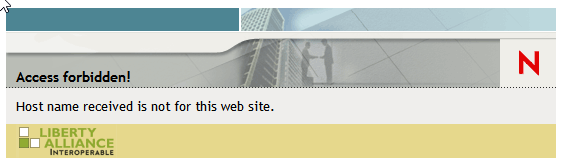
which is now "Access forbidden!".
The same page now appears to be available at
http://m.sat.gob.mx/informacion_fiscal/factura_electronica/Paginas/complementos_factura_cfdi.aspx
Is this page still valid? Probably not - see the update below.
http://m.sat.gob.mx/, you get a message telling you it's not current
For example, consider the original links for Controles Volumétricos v1.2 as of May 2018:
http://www.sat.gob.mx/fichas_tematicas/controles_volumetricos/Paginas/default.aspx
http://www.sat.gob.mx/fichas_tematicas/controles_volumetricos/Documents/ControlesVolumetricos_v1.2.xsd
http://m.sat.gob.mx/fichas_tematicas/controles_volumetricos/Paginas/default.aspx
http://m.sat.gob.mx/fichas_tematicas/controles_volumetricos/Documents/ControlesVolumetricos_v1.2.xsd
but are these links still valid?
Update 2018-10-27: The information on the complementos now seems to be at https://www.sat.gob.mx/consultas/49522/complementos-y-complementos-concepto-de-factura- (note the trailing "-" character!).
To get the technical specs you need to follow the link on the page with the wonderfully descriptive name https://www.sat.gob.mx/cs/Satellite?blobcol=urldata&blobkey=id&blobtable=MungoBlobs&blobwhere=1461173435221&ssbinary=true. This gives you a PDF file which in turn has links to the individual pages for each complemento. Each of these pages have a set of those obscure "blob" links to PDF files which, in turn, have links to the actual XSD and XSLT specifications. If you'd wanted to make the specification documents hard to find, you could not have done it better!
Update 2019-01-01: We've put together a comprehensive SAT Complementos Technical Document Tree based on the above SAT Complemento page and all subsequent links to technical documents referred to by it.
http://www.sat.gob.mx/sitio_internet/cfd/GastosHidrocarburos10/GastosHidrocarburos10.xslt
.
The original was released 20 October 2018 [SHA1=b5557d9a4fedea1b21892d04d000fbe1fcf885b8].
The errors are at line 60 and line 96 in the XSLT file. They have two attributes "MontoTotalIVA" and "FechaFolioFiscalVinculado" marked as "Requerido" when they should be "Opcional".
    <xsl:call-template name="Requerido">
      <xsl:with-param name="valor" select="./@MontoTotalIVA" />
    </xsl:call-template>
...
    <xsl:call-template name="Requerido">
      <xsl:with-param name="valor" select="./@FechaFolioFiscalVinculado" />
    </xsl:call-template>
The end result is that a validly-constructed XML document will produce an inconsistent (wrong) pipe string if either of these optional attributes are omitted in the XML document.
So if someone uses the correct rules to create a cadena original, it will be different from one created using the XSLT, and the signature will fail to verify.
Because of this issue and to avoid validation errors, the latest v9.1.0 FirmaSAT will insist that these two attributes are required, as specified in the XSLT file, and are not optional, as per the XSD schema. When/if SAT ever corrects this problem, we'll issue a new update to remove this restriction.
2018-09-08: Updated links to what seems to be the current URL (see SAT website follies).
<NERD WARNING> It concerns the regex pattern for the numeroPermisoCRE attribute. As we understand it, these are meant to be of the form
numeroPermisoCRE="PL/9999/EXP/ES/2018" where "9999" can be between one and 6 digits;
plus what we think is meant to include an optional month number of the form numeroPermisoCRE="PL/9999/EXP/ES/12/2018"
[Correction, it is just an optional "MM"].
<xs:pattern value="[PL]{2}[/]{1}[0-9]{1,6}[/]{1}[EXP]{3}[/]{1}[ES]{2}[/]{1}([MM]{2}[/]{1})?[0-9]{4}"/>
In our view, this shows a poor understanding of regex patterns in XML.
PL/9999/EXP/ES/2018
PP/9999/EXP/ES/2018
LL/9999/EXP/ES/2018
LP/9999/EXP/ES/2018
PL/9999/EXP/EE/2018
PL/9999/EXP/SE/2018
PL/9999/EXP/SS/2018
PL/9999/EEE/ES/2018
PL/9999/XXX/ES/2018
PL/9999/PEE/ES/2018
PL/9999/EXP/ES/MM/2018
In the final case, we think they meant the "MM" part to be
"01", "02", ..., "12" to denote the month. If so, it's wrong.
[No, they did mean just "MM"].
This example shows a complete misunderstanding of regular expression character groups (a list of characters inside square brackets).
For example, [PL]{2}
in a regex means any combination of two characters in the list ("P", "L"). So "PL", "PP", "LL", "LP" are all valid according to the regex.
To specify the literal "PL" you just type it. Similarly, "PEE" is valid for [EXP]{3}.
And [MM]{2} means any combination of the two characters "M" and, er, "M", so it's no different from just typing "MM".
<xs:pattern value="PL[/][0-9]{1,6}[/]EXP[/]ES[/](MM[/])?[0-9]{4}"/>
(we've left the square brackets around the forward slash character "/" to avoid problems with some regex testers (we recommend regex101),
but strictly it's not necessary in an XSD pattern).
Here is the extract, reference page 56 of cfdv33.pdf Anexo 20 de la Resolución Miscelánea Fiscal vigente (the latest version available here).
|
B. Generación de sellos digitales para Comprobantes Fiscales Digitales por Internet. ... Los algoritmos utilizados en la generación de un sello digital son los siguientes: · SHA-2 256, que es una función hash de un solo sentido tal que para cualquier entrada produce una salida compleja de 256 bits (32 bytes) denominada "digestión". · RSAPrivateEncrypt, que utiliza la clave privada del emisor para encriptar la digestión del mensaje. · RSAPublicDecrypt, que utiliza la clave pública del emisor para desencriptar la digestión del mensaje. |
B. Generation of digital stamps for digital tax receipts by Internet. ... The algorithms used in the generation of a digital stamp are the following: · SHA-2 256, which is a one-way hash function such that for any input it produces A complex output of 256 bits (32 bytes) called "digestion". · RSAPrivateEncrypt, which uses the sender's private key to encrypt message digest. · RSAPublicDecrypt, which uses the public key of the sender to decrypt the message. |
catCFDI.xsd -
currently included in the specifications for nomina v1.2, ComercioExterior11, and the proposed CFDi v3.3 -
is a ridiculous 4MB in size and attempts to catalog everything in the world,
including all countries, currency codes, every postal code in Mexico, and an enormous list of 8-digit product and service keys.
If you try to validate an XML file using an XSD parser it takes forever because this huge file has to be downloaded and parsed.
Go on, click on the link
catCFDI.xsd and see how long it takes.
Plus it's chock full of duplicate entries. We count over 1000 duplicate entries.
There are 96 duplicate entries for ClaveUnidad="C62", for example.
Presumably someone is going to keep this huge catalog updated as postal codes change and new products and services are added. Right?
B57 Light-year: Our favorite attribute in this wonderful catalog is ClaveUnidad="B57".
This specifies the unit of a light year, the distance that light travels in a vacuum in one year, approximately
9.461 trillion kilometres. Perhaps there should be a prize for the first person to submit a Comprobante that includes a transaction with
a product measured in light-years. (The length of the catCFDI.xsd file in the year 2020, perhaps?)
"www.sat.gob.mx/esquemas/ContabilidadE/1_1/..."
There is no http:// at the beginning. That means you must use a header of the form:
xmlns:catalogocuentas="www.sat.gob.mx/esquemas/ContabilidadE/1_1/CatalogoCuentas"
xsi:schemaLocation="www.sat.gob.mx/esquemas/ContabilidadE/1_1/CatalogoCuentas
  http://www.sat.gob.mx/esquemas/ContabilidadE/1_1/CatalogoCuentas/CatalogoCuentas_1_1.xsd"
If you use the incorrect
xmnls="http://www.sat.gob.mx/esquemas/ContabilidadE/1_1/CatalogoCuentas"
you will get errors. In particular, FirmaSAT will return a -20 error
(NO_DATA_ERROR) or some other undefined behaviour.
We guess this was probably a mistake. It's certainly not a strictly valid URI according to RFC 3986, and they use the "http://" form in the introduction to their PDF files. But not in the Código Fuente section where they reproduce the XSD document or in the on-line XSD files (see here, here, here, here and here). For example,
<xs:schema xmlns:catalogocuentas="www.sat.gob.mx/esquemas/ContabilidadE/1_1/CatalogoCuentas"
  targetNamespace="www.sat.gob.mx/esquemas/ContabilidadE/1_1/CatalogoCuentas">
Official confirmation: See item 49 "¿Cómo se debe realizar la declaración del namespace y schemaLocation para los XMLs de Contabilidad Electrónica?" on the official SAT page: Preguntas frecuentes de la contabilidad electrónica. (Thanks, Hector).
Update for version 1.3 (2017):
The new version 1.3 has added the http:// prefix to the target namespaces.
To contact us or comment on this page, please send us a message.
This page last updated 7 September 2019.